In short
- Never experiment on the original disks: image them or use copy-on-write overlays.
- The Events field in each superblock tells you which member is out of date.
- Assemble read-only, check the file system without repairing it, and avoid --create.
Rule one: work on copies
Anything you run against the real disks can write to them: a resync, a journal replay, a file system check. Before any experiment, image each member with GNU ddrescue, or set up overlay files with device-mapper snapshots so that every write lands in a temporary file instead of the disk. The archived Linux RAID wiki describes the method in detail, and the kernel's own md documentation explains how arrays are started and resynced. Overlays are worth using even for an array that "only needs a force".
Reading the superblocks
Run mdadm --examine on each member partition and save the output somewhere safe. Compare:
- Array UUID: every member of the same array must show the same one.
- Raid Level, Raid Devices, Chunk Size, Layout: these must agree.
- Device Role: the slot of each member, which tells you the order.
- Update Time and Events: when each member last took part in a write.
- Array State: how each member saw the array at its last update.
The mdadm manual page explains each field and each mode.
What the Events counter tells you
Each write to the array increments the event counter on every active member. A member whose count is slightly lower missed the last few writes, perhaps during a crash; forcing it back in usually works. A member whose count is far behind, or whose update time is days or weeks old, left the array long ago and holds stale data. Including it in a forced assembly mixes old blocks with current ones.
Assembling read-only
On overlays, assemble with mdadm --assemble --readonly, naming the members explicitly and leaving out the stale one. If mdadm refuses, --force adjusts the event counters of members that are only slightly behind; on overlays that is a reasonable test. Then:
- check the file system in no-change mode (
fsck -n,xfs_repair -n,btrfs check --readonly); - mount read-only and copy the most important data first.
Why --create is so dangerous
mdadm --create on existing members writes new superblocks. If a single parameter differs from the original (order, chunk size, layout, metadata version or data offset), the array assembles but the data is scrambled, and an automatic resync can then overwrite parity across every disk. It is a last resort, used only on images, by someone who has recorded the original parameters.
When to hand it over
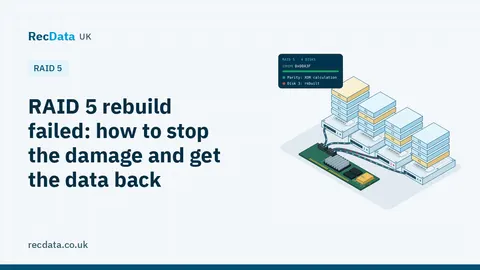
Stop when a member makes noises or logs read errors, when the event counts disagree widely, when the superblocks are missing, or when the data matters more than the time saved. Every command you run on the originals reduces what a lab can recover. Our RAID data recovery service images each member and rebuilds the array from the copies; the background to RAID 5 failures in particular is in RAID 5 rebuild failed: how to stop the damage and get the data back.
Frequently asked questions
Is mdadm --assemble --force safe?
It only rewrites the event counters of members that are slightly behind, and it is usually fine for a member that missed a few writes. It becomes dangerous when a member left long ago, or on a disk with read errors. Try it on overlays first.
What does a large gap in the Events field mean?
That member stopped taking part in writes a long time ago. Its data is out of date, and it should be left out of the assembly; its content is only useful to fill gaps where another member cannot be read.
Official sources and useful links
- Linux kernel documentation: RAID arrays (md): Reference documentation for Linux software RAID (mdadm).
Is your data important?
Do not try anything that could make the fault worse. The diagnosis is free and you get a fixed quote before any work starts.