In short
- Switch the phone off, do not charge it and do not press buttons to 'test' it.
- Rice and hairdryers do not help; they can make it worse.
- If the phone works, back it up now; if not, the data can often be read once the board is cleaned.
The first minutes
- Take the phone out and switch it off if it is still on. If it is already off, leave it off.
- Do not plug it in to charge. Current flowing through a wet board is what destroys components.
- Remove the case and the SIM tray. Dry the outside with a lint-free cloth.
- If it fell in the sea or a sugary drink, the residue is corrosive: tell the lab, as the board needs cleaning quickly.
- Keep it upright, at room temperature, and get it to a lab or repair shop within a day or two.
Myths to forget
- Rice does not draw water out of a sealed phone. It leaves starch dust in the ports and wastes the time when cleaning would help. Apple says as much in its own advice on the liquid-detection alert.
- Hairdryers and radiators can warp seals, damage the battery and push water further in.
- Water resistance ratings (IP67, IP68) are tested in fresh water in a lab, on a new phone. Seals age, and the manufacturers' warranties generally exclude liquid damage. Apple explains the limits in its page on splash, water and dust resistance.
- "It still works, so it's fine": corrosion keeps going for days or weeks after the phone has dried.
If the phone still turns on
Back it up straight away: iCloud or a computer for an iPhone, your Google account for Android, and the backup inside WhatsApp for your chats. Then get it checked before corrosion sets in.
Why the phone itself is needed
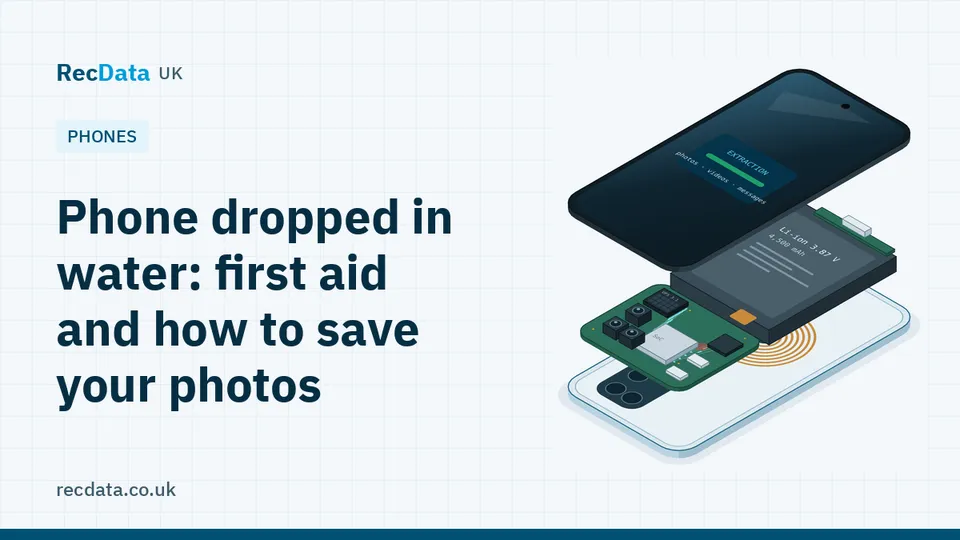
Modern phones encrypt their storage with keys tied to the processor and the security chip. The memory chip cannot simply be removed and read on another device. Recovery means cleaning the board, repairing or replacing damaged components, and starting the phone long enough to copy the data, with your passcode.
What we do
The board is removed, cleaned in an ultrasonic bath and inspected under the microscope. Damaged components (power circuits, connectors, sometimes the charging port flex) are repaired, then the phone is started on a bench power supply and the data is copied out. You receive the photos, videos, contacts and messages that can be extracted. See iPhone and iPad data recovery and Android phone data recovery for details.
Frequently asked questions
My phone works after falling in water. Is it safe?
Not necessarily. Corrosion can develop over the following days and the phone may stop suddenly. Back it up now, then have it inspected.
Do you need my passcode to recover the data?
Yes. Modern iPhones and Android phones are encrypted, and the passcode is needed to unlock the data once the phone is working again. It is used only for the recovery.
Official sources and useful links
- Apple Support: Official help for iPhone, iPad and Mac: backups, iCloud, Time Machine.
- Google Photos Help: Official help: trash, backup and restoring photos.
Is your data important?
Do not try anything that could make the fault worse. The diagnosis is free and you get a fixed quote before any work starts.