In short
- Take the card out of the camera and stop using it; do not format it in the camera or the computer.
- Logical corruption can often be fixed with good software on a copy; physical faults need a lab.
- Cards that are not detected, or detected with a wrong size, should not be tried repeatedly.
What usually happened
- The card was removed or the battery died during writing: the file allocation table was left half updated. The camera reports an error or shows an empty card.
- The card was used in several devices: a phone, a camera and a laptop each manage the file system slightly differently, and corruption builds up.
- The card is worn out or counterfeit: cheap cards sold online often report a larger capacity than they really have. Once the real capacity is full, new files overwrite old ones. The SD Association publishes the official speed class and capacity markings to look out for.
- The controller has failed: the card is not detected, or appears with a capacity of 0 or a few megabytes. This needs physical work.
What not to do
- Do not format the card, even if the camera or the computer insists.
- Do not keep taking photos on it "to see if it works".
- Do not run CHKDSK or "repair" on it: it can turn damaged folders into anonymous fragments.
- Do not try the card in every reader you own. Each attempt on a failing controller is a risk.
When software can help
If the card is detected with its correct capacity and simply shows as empty or unreadable, good recovery software can often rebuild the folders or find the photos and videos by their signatures. Work from an image of the card, not the card itself, and save the results to a different drive. Many camera RAW formats and video files from drones and action cameras need specialised tools to be rebuilt correctly.
When a lab is needed
- The card is not detected at all, or with a wrong capacity.
- It is physically damaged (cracked, bent, water damage).
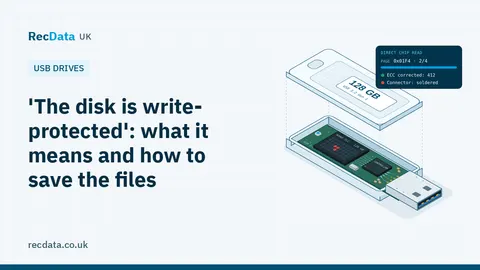
- It is a monolithic microSD card, where the controller and memory are a single block: the data is read by accessing test pads under the surface.
- Videos play for a few seconds then stop, which means fragments are missing or mixed up.
Details for each format are on SD card data recovery and microSD card data recovery.
Frequently asked questions
Can photos be recovered from a formatted SD card?
Usually, if the format was a quick format in the camera or the computer and few photos were taken afterwards. A 'low-level' format in some cameras overwrites the card and makes recovery impossible.
My drone video stops after a few seconds. Can it be fixed?
Often. When the recording stops abruptly, the index at the end of the file is missing. The video data is still there and can be rebuilt using another clip from the same drone as a reference.
Is your data important?
Do not try anything that could make the fault worse. The diagnosis is free and you get a fixed quote before any work starts.